Edvin's Nested Tooltips
Unity Asset to easily add nested tooltips based on a keyword system
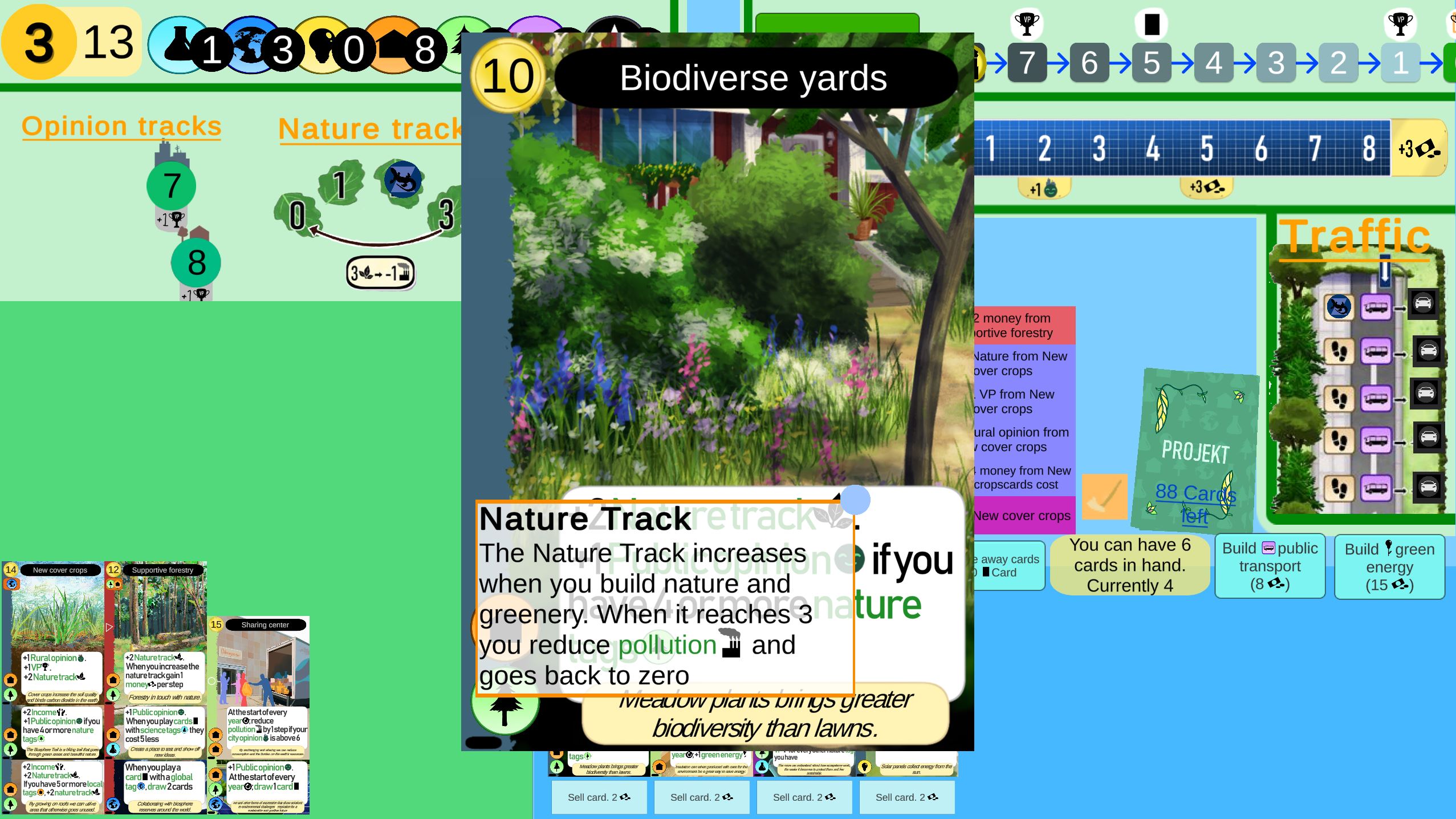
Screenshot of a tooltip
Edvin's Nested Tooltips is exactly what it sounds like, it's a Unity Asset that helps easily add nested tooltips. Perfect for strategy games, rpg's or just any game with many mechanics and subsystems. Originally I was planning to put it up for purchase on the Unity Asset Store, but that proved a real hassle so I decided to instead make it available for free on itch.io (though you can still donate).
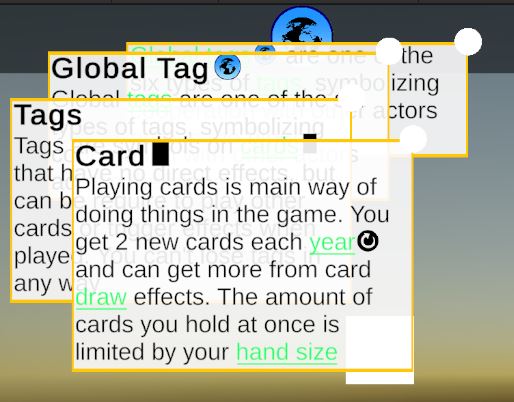
Screenshot of nested tooltips in the example scene
Features:
- Lightweight, easy-to-use tooltip system.
- Expandable keywords (tooltips within tooltips).
- Icons via TMPro Sprite sheets.
- Scriptable Objects for custom keyword info.
- Dedicated canvas layer (default: 200) to avoid UI conflicts.
- 3 default tooltip types: custom text, keywords, and inline text fields.
- Lock/unlock tooltips with middle mouse button (configurable).
- Customizable settings: appear time, text color, formatting, titles and more.
- Instantiates only at game start, no runtime overhead.
- Includes example scene with setup guides.
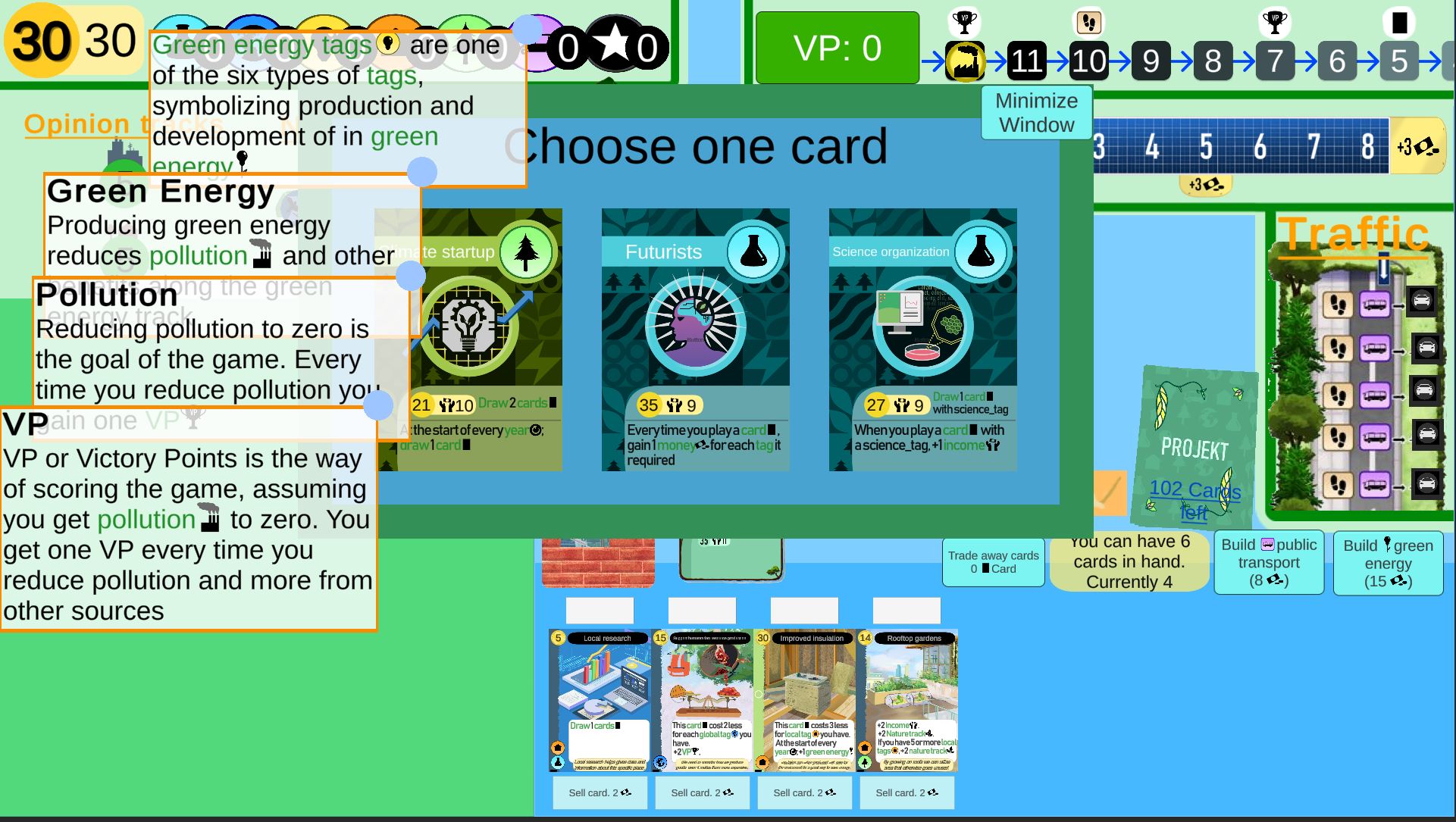
Example of the nested tooltips in the Mariestad Climate Game
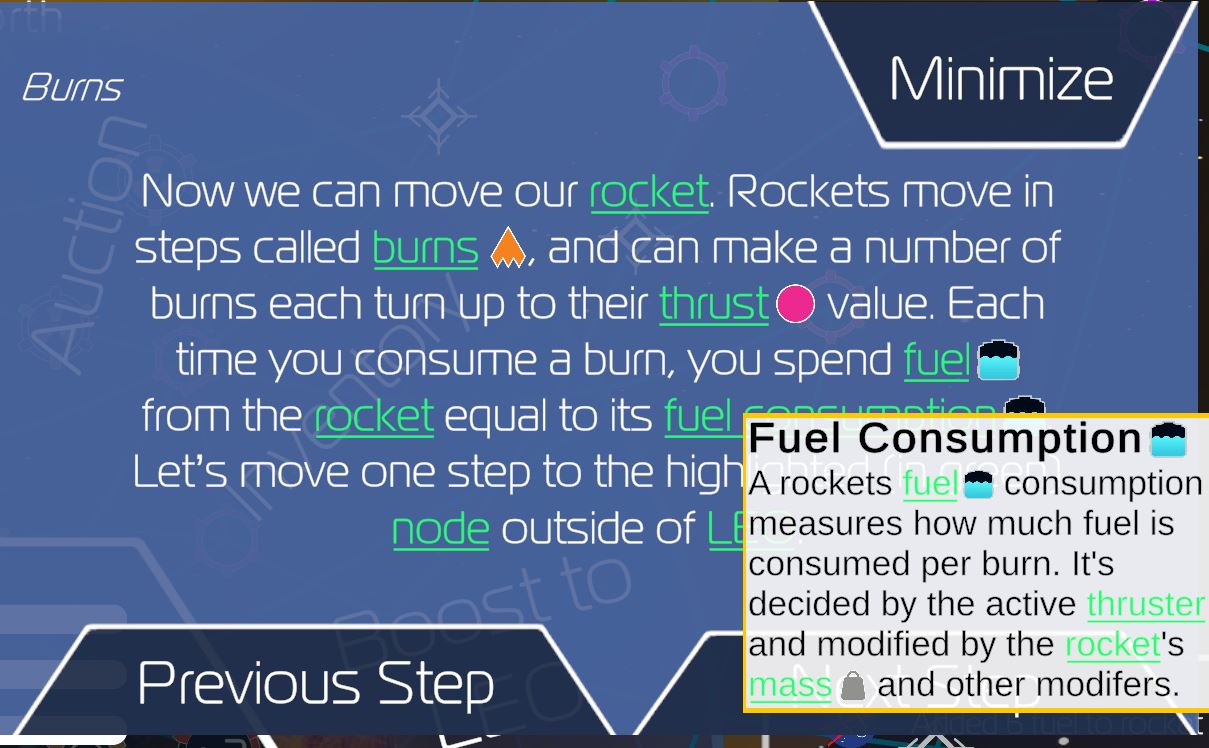
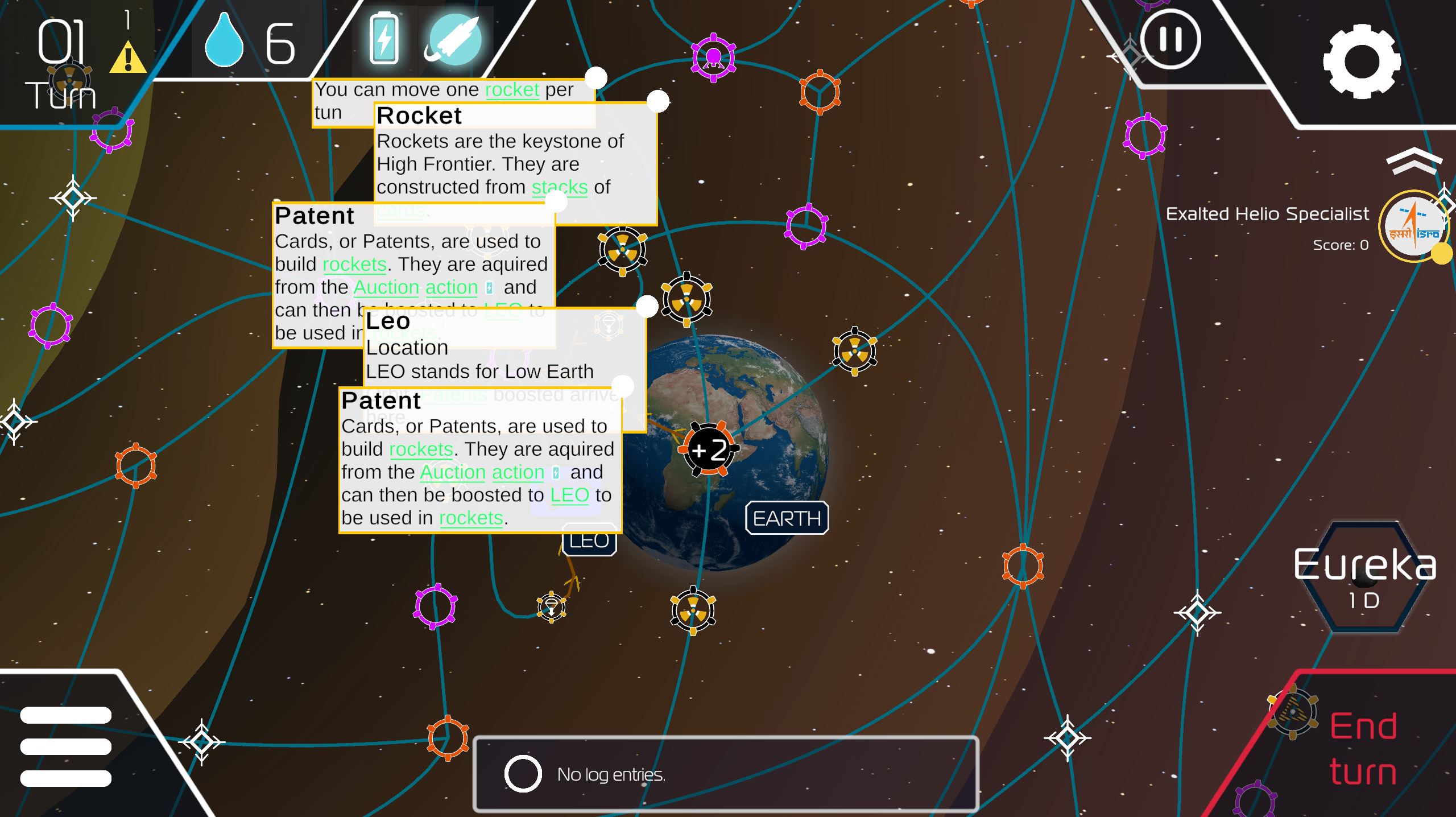
Example of many tooltips for different keywords in the tutorial for High Frontier 4 All
Tooltips
A tooltip is simply a message that appears in a text box when you hover over a UI element. They are common in video games, but also on websites and in software. I have some tooltips on the Kastorix Character Sheet page. Doing tooltips in Unity isn’t particularly hard, there are many youtube tutorials on the subject and and you can find free assets for tooltips on the Unity StoreTo make a tooltip you need a way to check if the user is hovering over a specific UI element, a way to get the right tooltip text on an object and show it in the right place There are some things to keep in mind here, enabling raycasting on the UI element, checking canvas layers so nothing obscures the UI or the tooltip and deciding how you want to show the tooltip text.
My Implementation
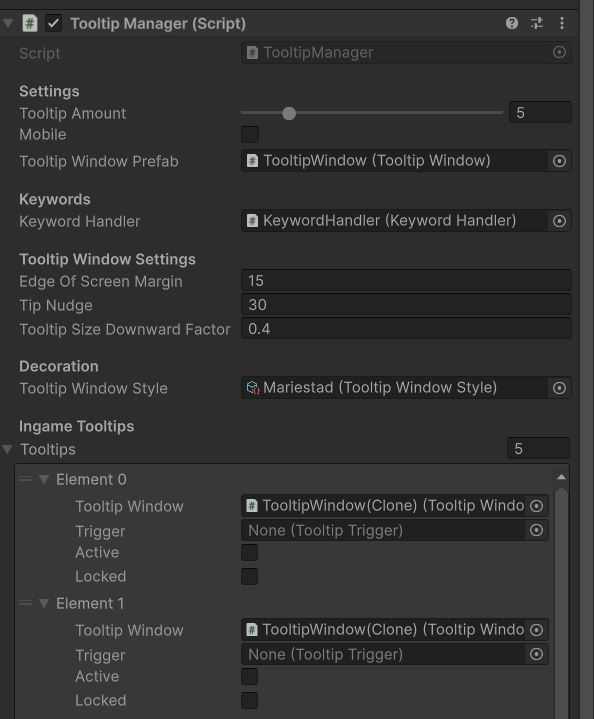
The core of my system is the TooltipManager on its own prefab that can be added to any scene. In the Awake function it creates a number of tooltip window objects from a prefab. To give a UI element a tooltip you simply give it TooltipTrigger script (or put a TooltipArea prefab on top).The trigger gets a reference to the manager from its Start function, and takes care of the Pointer Handling. When the pointer is found above the UI element it then sends a call to the manager, which gets its first available tooltip, sets the correct message on it and places it at the right location. When it does this it also checks the edges of the canvas to make sure that the tooltip window doesn’t appear partially outside the screen, nudging the window so it can be seen. The Tooltip System also allows you to temporarily lock tooltips in place with the middle mouse button, allowing you to keep it open while you look around the screen.
To speed up development and UI testing, my system also features a Tooltip Window Style scriptable object, with a few different preset examples and options to quickly test new appearances for your tooltip windows, texts, keywords and borders.
Keywords
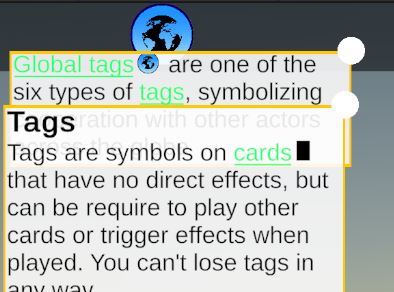
The thing that makes the tooltips nested and my system unique however is the keyword system. There is a Keyword Scriptable Object that users can input any keywords into and a keyword handler that adds links to any keywords found in tooltips or other assigned texts. If a tooltip for example reads “Global tags are one of the six types of tags in the game”, then the phrases ’Global tags’ and ‘tags’ will be linked in the tooltip. If a player wants to know more about what a tag is they can hover over the tag keyword and another tooltip will appear explaining it. Each keyword can have multiple different phrases or wordings for it to appear and the number of nested messages that can appear at once can be configured as desired from the inspector. There are no limits to the amount of keywords or the amount of phrases for each keyword.This is what's called nested keywords, and is extremely useful in complex games with many mechanics, resources and systems. It can be found in all modern Paradox games, in Baldur's Gate 3 and as of the latest update in Civilization 7. It can also be found in High Frontier 4, where I implemented the updated system after my internship and on my digital adaptation of the Mariestad climate game. And as soon as it’s approved by unity, you can have it in your game.
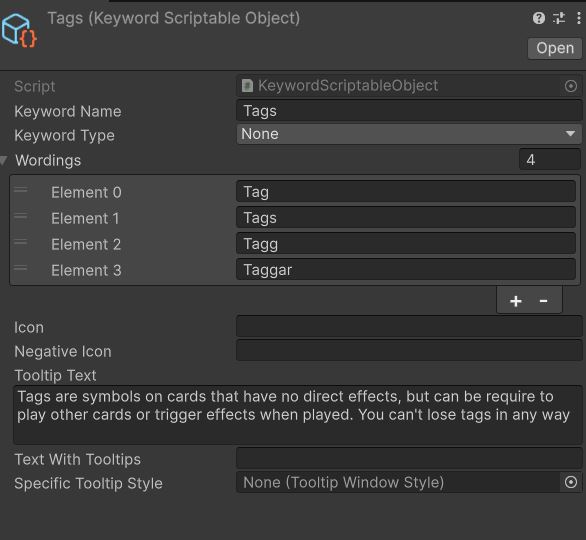
Example of a keyword Scriptable Object
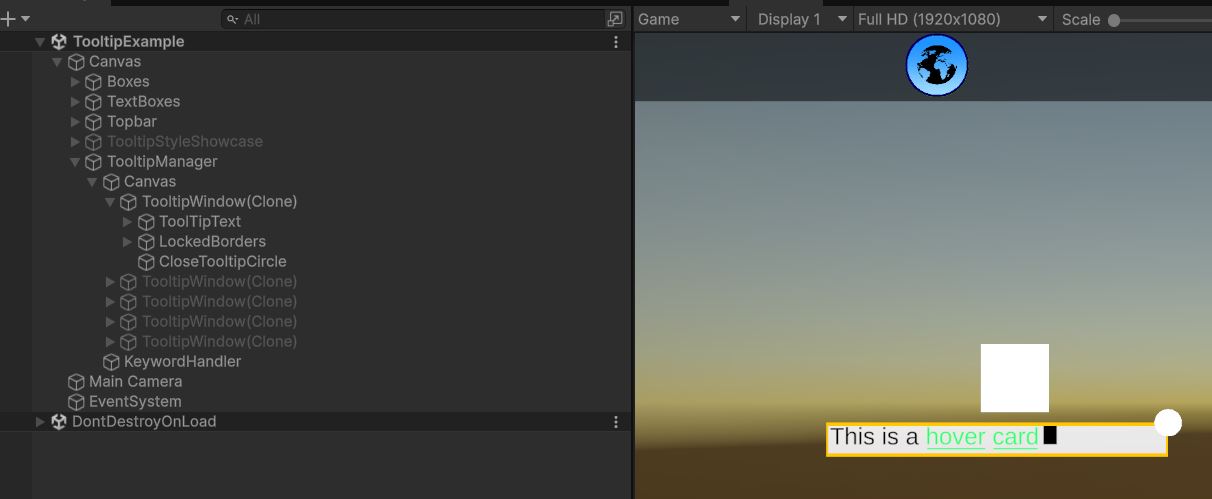
The layout of the scene objects in the example scene with a tooltip open
Development Process
As a fan of complicated strategy games, tooltips and good UI design have been important
practices for me for a long time. Even in the first strategy game I made in Unity, City State, I made simple tooltips for the
resource types.
But what I really wanted was tooltips like those found in modern paradox games, starting with
Crusader Kings 3. These are really useful for explaining complex game mechanics and showing how
they connect to each other. During the development of Wizards Legacy (still needs a page on
this), I made the first version of nested tooltips, though that version instantiated tooltip
prefabs every time you needed one and was far more buggy than this one. When I worked on High
Frontier as part of my internship with ION Game Design I implemented a better version in the
game. The tooltip system I implemented there works but it still had some limitations, with
keywords not being able to be part of other keywords.
Still I really liked the system and
wanted to make a standalone version that I could use in future projects. So I moved the scripts
into a standalone project and fixed issues like keywords not being able to contain part of other
keywords, and the tooltips going off the edge of the screen. During the development I realized
it could be a useful tool for others, and spent time polishing it and making it as easy to use
as possible.